🎛️ Precise Control
Have the ability to fine tune your pressure and temperature in real time to create the exact extraction conditions that you want!
An open-source modification of the Gaggia Classic espresso machine. It features precise temperature and pressure control, with real time graphing capabilites, all with the turn of a knob on our minimalistic OLED display.
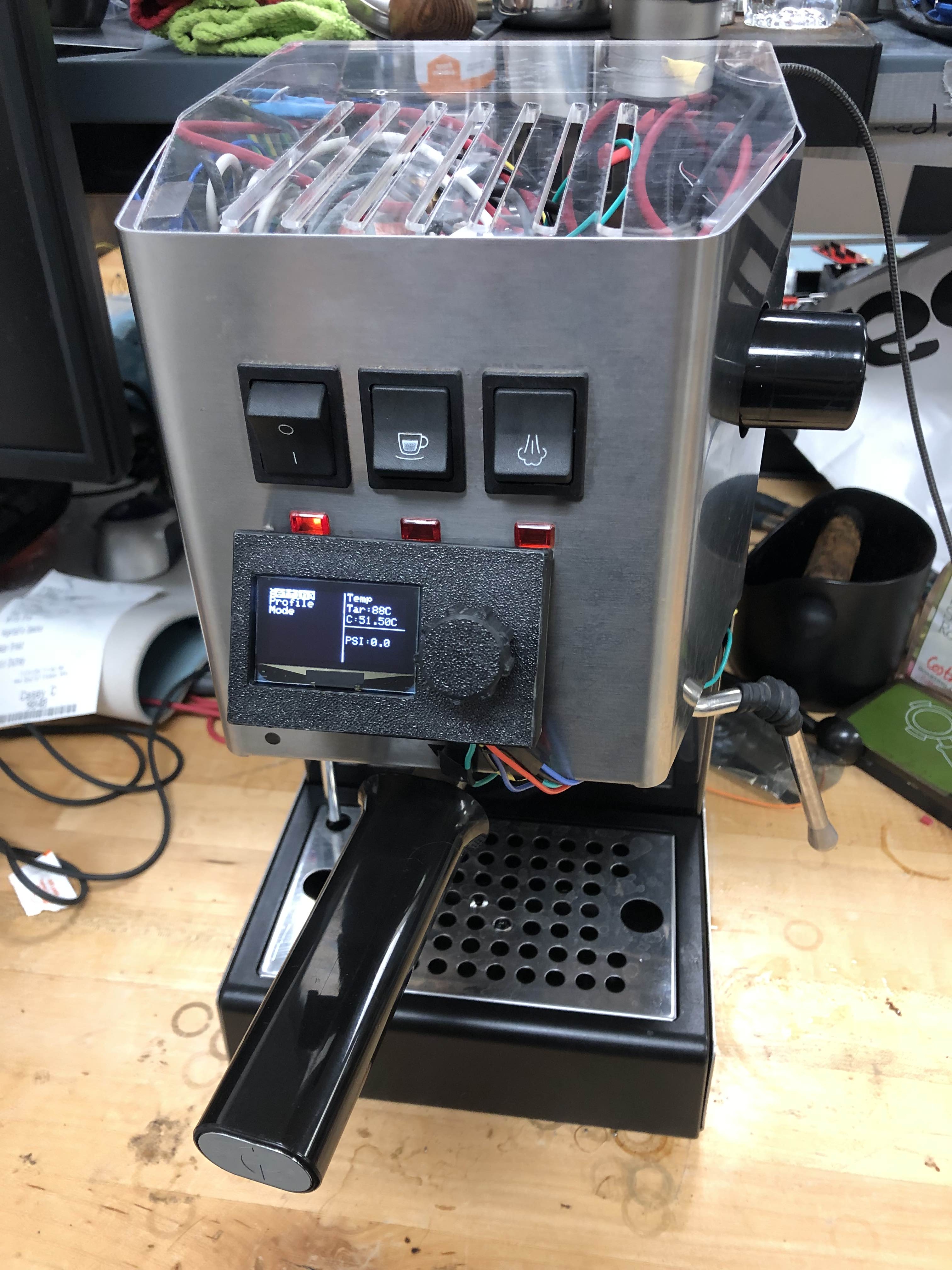
The Gagginator makes brewing a custom espresso shot simple with an minimalistic interface and precise control.
Have the ability to fine tune your pressure and temperature in real time to create the exact extraction conditions that you want!
Forget how you made your perfect brew? You can now save your desired brew parameters amongst four save profiles, so you will always have access to them!
Real-time timer and graph that allows you to monitor the parameter and status of your brew from anywhere around the house!
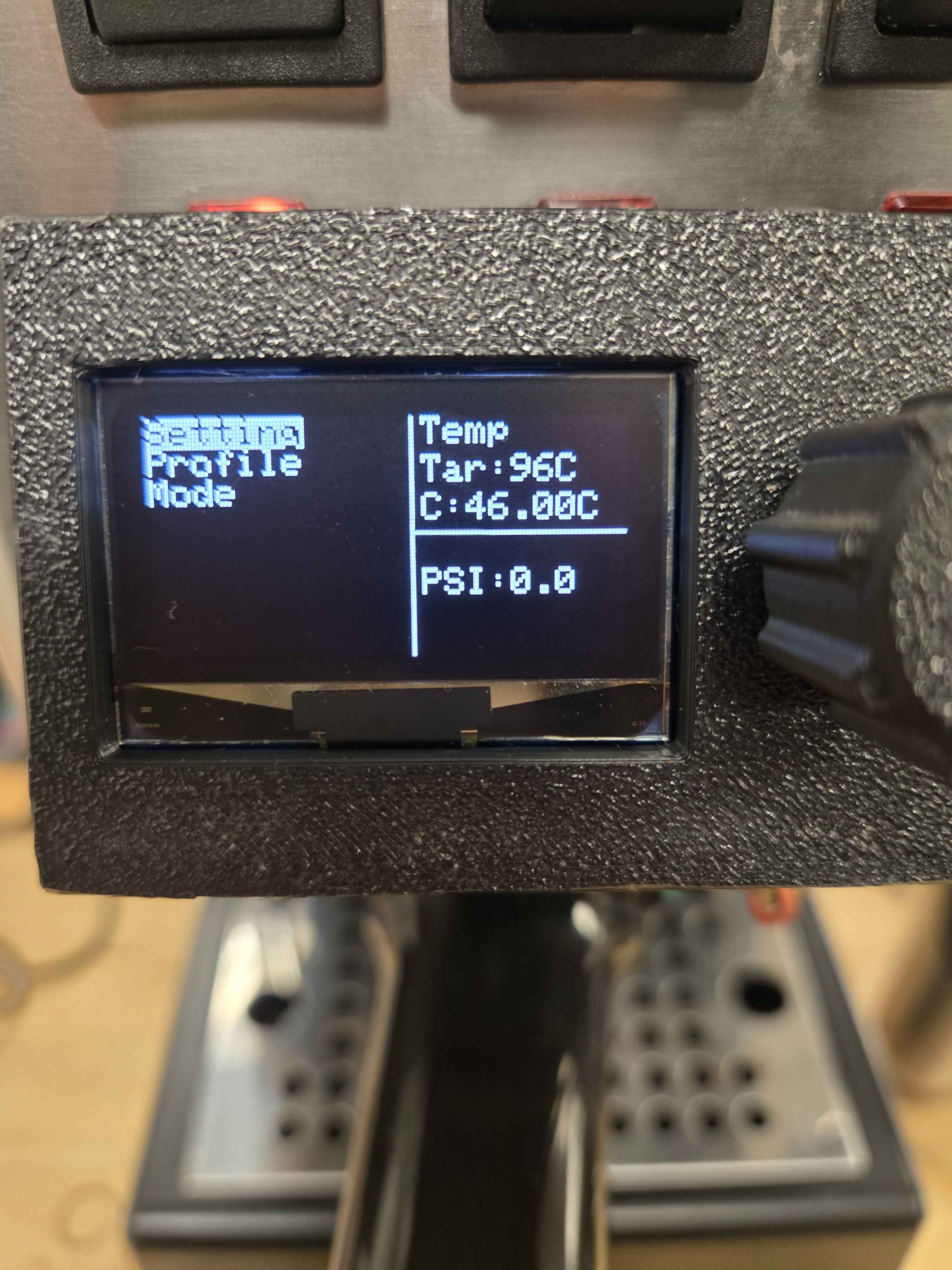
Main Screen - Live temperature, pressure monitoring
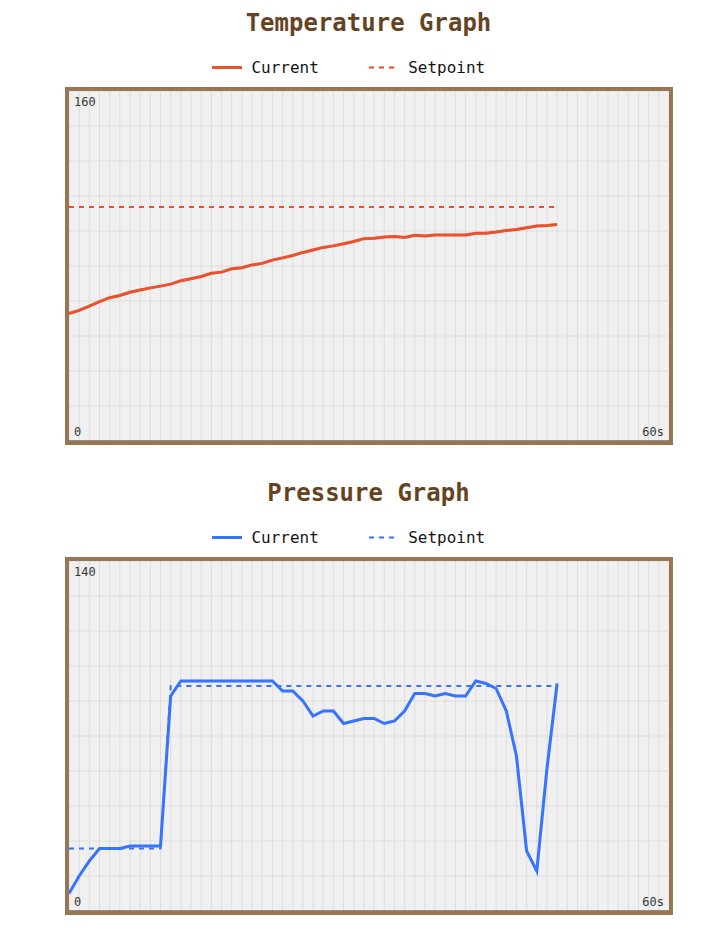
Graph View - Visualize your pressure and temp profiles in real-time
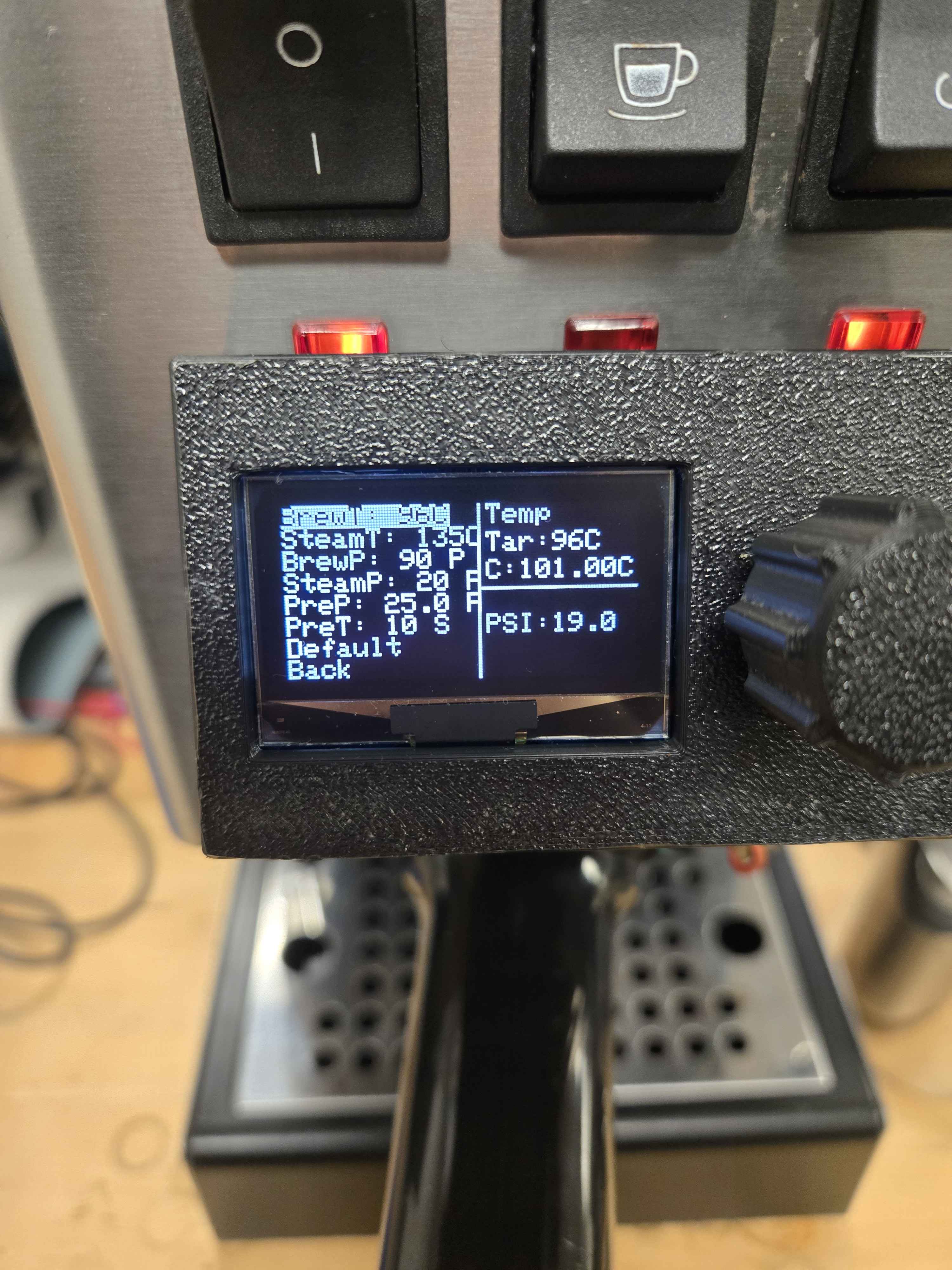
Settings Menu - Adjust parameters with the rotary encoder
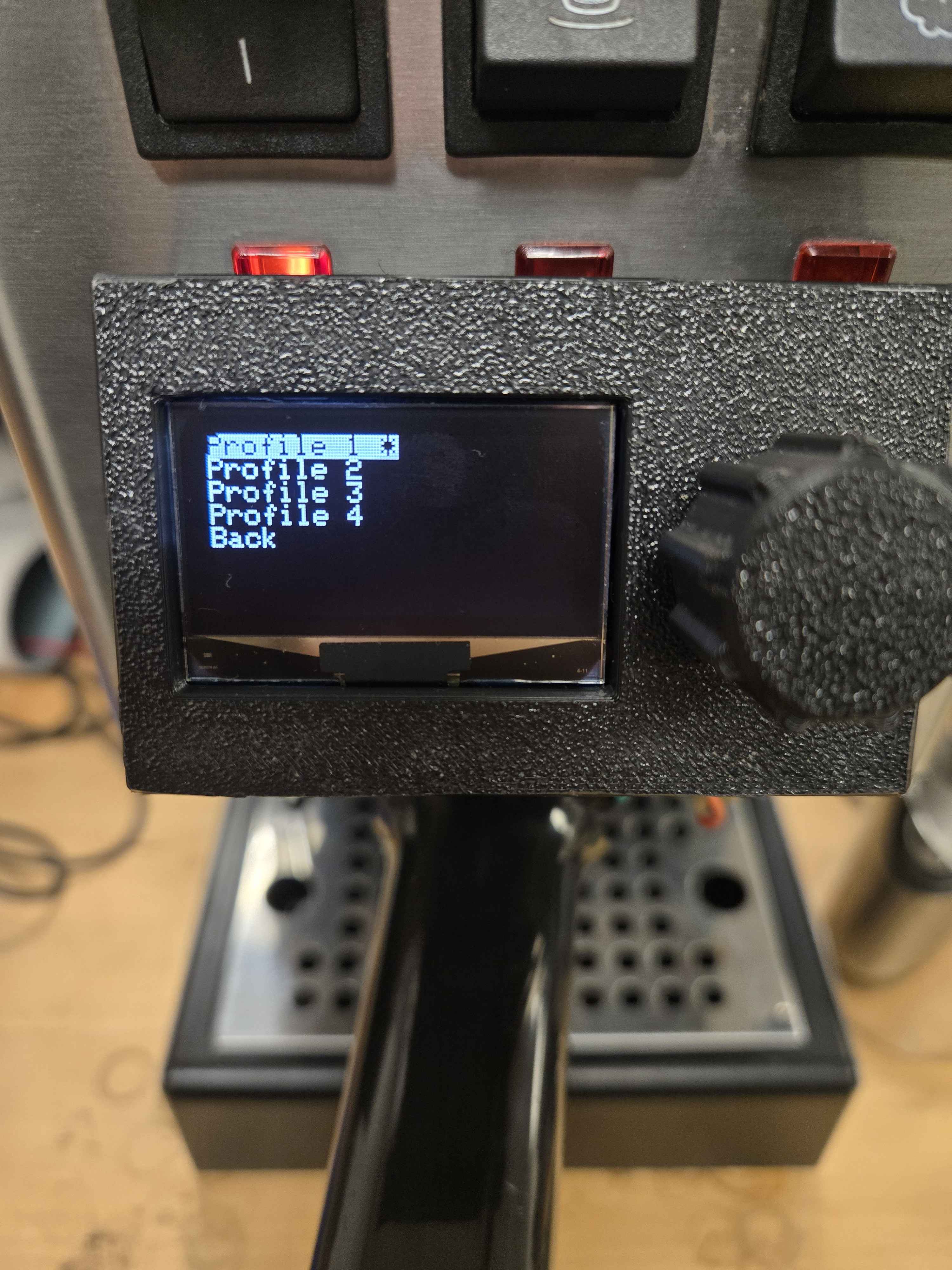
Profiles Menu - Save brew parameters between four brew profiles
Installing the Gagginator mods requires opening up your Gaggia Classic and connecting a few components. Basic soldering skills and electrical knowledge required.
⚠️ Warning: This mod involves working with high voltage, high temperatures, and hot water. If you're not comfortable with this electrical work, please do not proceed without assistance or sufficient electrical knowledge and practice.
For detailed wiring diagrams and step-by-step photos, see our full installation guide.
Responsive and programmable pressure profiles allows you to create your perfect brew!
Live graphing shows exactly what's happening during extraction. Learn what works and replicate it perfectly.
Fully open hardware and software. Customize it, improve it, make it yours.
Get all the fancy machine features for a fraction of the cost compared to other modifications. Low cost and relatively easy to build!
Further upgrade the Gagginator with your ideas! To do so, visit here at our GitHub. Pull requests and feature suggestions are welcome!